
TeamLinkt - Sports Team App
QuickLinkt AppSports
4.780.00 Reviews
- Version
- 2026.32.0
- Installs
- 100.00K
- Age Rating
- Everyone
Screenshots
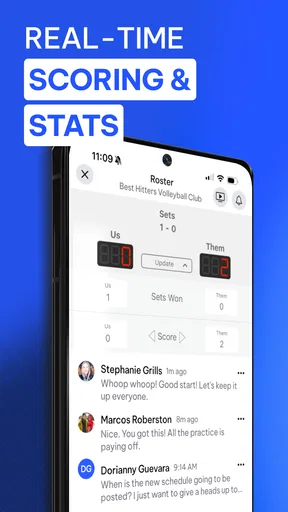
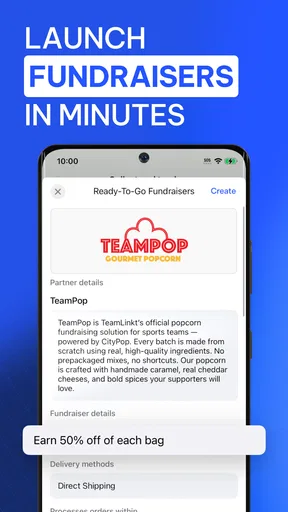
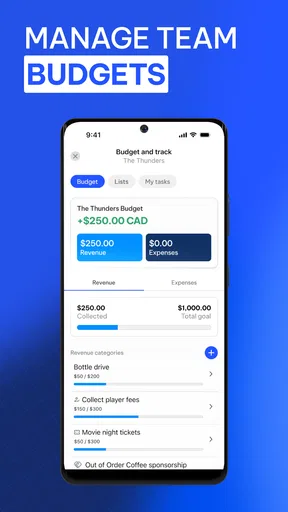
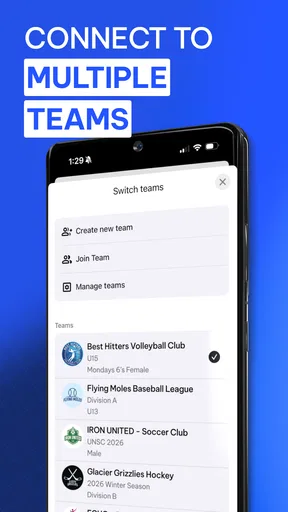
Our Review of TeamLinkt - Sports Team App
 Analysis by Appyee
Managing a sports team usually becomes difficult for reasons that have little to do with the game itself. A coach needs to know who is available, parents need the latest schedule, players need a reliable place to ask questions, and someone eventually has to chase the people who have not replied. I tested TeamLinkt with that everyday problem in mind, and my first impression was clear: it is less about excitement and more about removing the repeated little tasks that make team organization tiring.
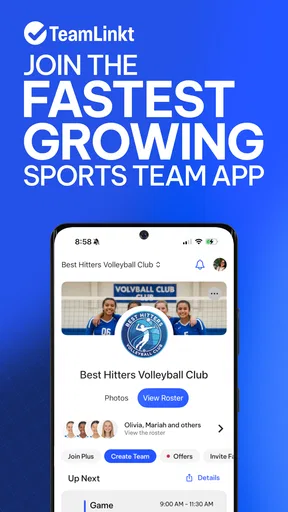
This is a free sports app from QuickLinkt App, aimed at keeping a team’s schedule, roster, availability and conversations together. It is rated for Everyone, so its audience can include youth teams and families as well as adult recreational groups. The app has been available since late summer 2017, which gives it a more established feel than a brand-new team organizer. Its current version is 2026.32.0, and it has passed the 100K-install mark with a 4.7 average from around 6.9K ratings.
That popularity does not automatically make it the right choice for every club. What matters is whether the app still earns a place on your phone after the first week, when the novelty has disappeared and the real work begins. In my experience, TeamLinkt is strongest when a group agrees to use it as its shared home rather than treating it as another optional notification channel.
What TeamLinkt feels like during the first week
The appeal appears quickly because the app addresses several connected problems at once. Instead of keeping a calendar in one place, a roster in a spreadsheet and team messages in a separate chat, I can use one team-focused space to organize the information people repeatedly need. That sounds simple, but the practical benefit is that a schedule is not isolated from the people expected to attend it.
For a new season, I would begin by making the roster accurate before posting too many events. That small step matters. If the player list is outdated, availability replies become unreliable and every later message needs clarification. TeamLinkt works best when the person setting it up treats the roster as living information rather than a one-time formality.
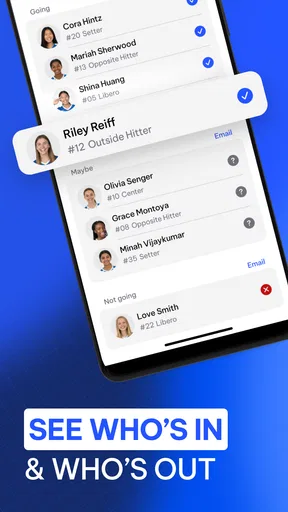
The availability feature is particularly useful for planning practices and matches. A coach can ask for responses before making assumptions, while players or parents have a clear place to indicate whether attendance is possible. The important habit is to set a response deadline in the message itself. Without that, a team can still end up with a familiar problem: several people have seen the event, but nobody knows whether the quiet members are coming.
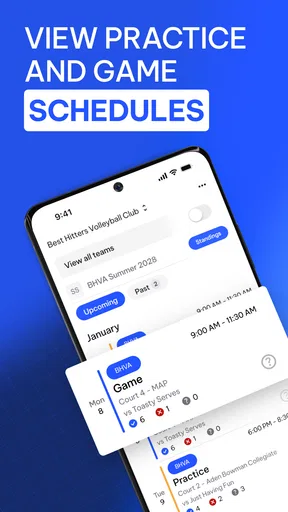
Sharing a schedule is more useful than simply announcing dates in a chat because events remain connected to the team’s ongoing organization. A chat message can disappear under newer conversation, especially after a busy game day. A schedule gives people somewhere predictable to return to when they are checking the next practice or trying to remember a venue.
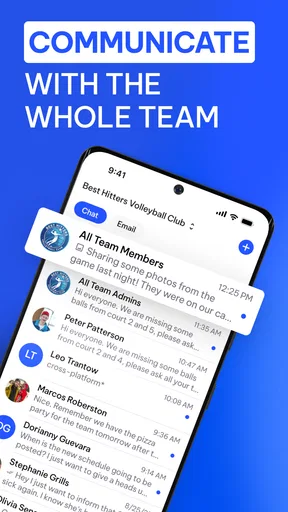
Chat is helpful for quick coordination, but I would not use it as the only record of important details. My preferred workflow is to put the actual event information in the schedule, use availability for attendance, and reserve chat for changes, questions and reminders. That separation is one of the less obvious strengths of the app: it encourages a cleaner distinction between information that should remain easy to find and conversation that naturally moves on.
Families can also benefit from that structure. A parent who is not involved in every training discussion can check the relevant team information without reading a long stream of messages. Adult players gain the same advantage when work schedules make them check updates at irregular times. The app does not remove the need for people to communicate clearly, but it gives that communication a more suitable place.
A realistic weeknight workflow
Imagine a youth team with practice approaching and a match at the weekend. The coach posts the practice and asks everyone to confirm availability. One player is injured, another has a school commitment, and a parent notices that the weekend event needs an updated time. Those details can be handled through the team’s schedule, attendance responses and conversation rather than scattered across separate private messages.
The real gain is not that any single action is remarkable. It is that the coach can return to one team context and see what still needs attention. If someone has not responded, that becomes a manageable follow-up rather than a memory test. If the time changes, the update can be discussed where the team already expects to look.
I would still advise teams to agree on one simple rule: urgent changes should be marked clearly in chat, while permanent event details should be corrected in the schedule. Otherwise, people may read the message but continue relying on an old calendar entry. TeamLinkt can support good habits, but it cannot decide which information your group considers authoritative.
Why the value can last from month to month
The first-week appeal comes from centralization. The longer-term value comes from repetition. Sports teams repeat the same organizational cycle constantly: plan an event, check attendance, communicate a change, and prepare for the next event. An app earns its space when it makes that cycle less mentally expensive each time.
TeamLinkt is well suited to groups that meet regularly and have changing attendance. Recreational teams, school groups, community clubs and family-managed squads may all find the combination of roster, schedule, availability and chat more useful than a general messaging app. The more often a team needs those four elements together, the easier it is to justify keeping a dedicated app in the routine.
I also see value during periods when the team is not playing a formal match every week. Availability can help coordinate practices, informal sessions or other team activities, while the roster keeps the group’s identity intact. That makes the app more than a match reminder tool. Its usefulness depends on whether the team continues to organize through it between major events.
Compared with a normal group chat, TeamLinkt has a meaningful advantage: chats are designed for conversation, not for maintaining a dependable season schedule. A messaging app may feel faster for a small group, but it becomes harder to search and easier to misunderstand as the season grows. TeamLinkt’s team-centered structure is better when people need to answer “what is happening, who is going and where do I check?” without scrolling through unrelated replies.
Compared with a shared calendar, the app offers more team context. A calendar is excellent for dates and times, but it does not naturally provide a roster or an attendance conversation in the same place. A spreadsheet can track availability in detail, yet it usually depends on someone remembering to update it and everyone knowing where to find it. TeamLinkt sits between those options: more organized than chat, more social than a calendar and less manual than a spreadsheet.
That comparison also reveals when another option may be better. A tiny adult team that already uses one group chat successfully may not gain enough from adding a separate system. A large club with complex registration, payments, formal permissions or administrative reporting may need a broader club-management platform. TeamLinkt makes the most sense for the practical team layer, not necessarily for every back-office responsibility an organization might have.
Small habits that improve the experience
My first tip is to avoid posting every minor thought as a new chat message. If the information changes an event, update the event context first and then send a short explanation. This reduces the chance that the chat becomes the only place where the final arrangement exists.
My second tip is to use availability as a planning tool rather than a passive poll. Once responses arrive, act on them: adjust the session, identify a substitute or tell the team that the plan is confirmed. If availability requests are repeatedly ignored, people will learn that responding does not matter.
A third useful approach is to make the roster reflect communication reality. If a parent usually handles a young player’s attendance, the team should agree who is responsible for replying. Otherwise, both may assume the other person has handled it. The app can show responses, but it cannot resolve unclear responsibility inside a family.
Finally, I would keep chat focused enough that a new member can understand the current situation without reconstructing the entire season. That means summarizing a changed plan instead of adding several contradictory updates. This is a practical advantage of using TeamLinkt deliberately: the app gives you separate tools, but the team still needs a shared communication style.
The maintenance burden after the setup period
The main ongoing cost is not money. TeamLinkt is free to download, although in-app purchases range from around two dollars to about five dollars per item. The larger cost is attention: someone must keep the roster current, create or adjust events, encourage availability replies and make sure chat does not become confusing.
That maintenance is manageable for a committed coach or team manager, but it should not silently become one person’s full-time responsibility. If the organizer stops updating the schedule, the app quickly loses credibility. People will return to private messages because they no longer trust the shared information to be current. This is the central condition for long-term success: the team must assign ownership, even informally.
Season changes are a useful test. Players leave, new members arrive, practice times shift and competitions create exceptions. A team that reviews its roster and upcoming events at natural transition points will get more value than one that expects the app to stay accurate automatically. I would make a short maintenance check part of the weekly routine, especially before publishing a new block of fixtures.
There is also a human maintenance burden. Not everyone enjoys installing another app or learning another place to look. Some members may prefer a quick text, while others want every detail structured. The manager may need to explain the team’s rules more than once, particularly at the start of a season. That friction is not unique to TeamLinkt, but it matters because the app only works fully when participation is reasonably consistent.
The age rating helps make the app approachable for mixed-age teams, but an Everyone rating does not replace sensible adult oversight for youth groups. Coaches and parents still need to decide how communication should work, who is responsible for a child’s attendance and which information belongs in the team space. The app can support those arrangements; it should not be mistaken for a substitute for them.
Where fatigue can appear
The first source of fatigue is duplicate communication. If a coach posts the same schedule in TeamLinkt, a messaging group and a separate calendar, members may appreciate the reminders at first but eventually wonder which version is final. The app becomes more valuable when the team chooses it as the main reference point instead of adding it to an already crowded system.
The second is notification pressure. A team with frequent chat activity can make the app feel noisy, particularly when discussion and essential updates are mixed together. I would rather see concise event updates and purposeful messages than a constant stream of commentary. The more disciplined the group, the more useful the app feels.
The third is incomplete participation. A roster may look organized while availability remains patchy. That creates false confidence: the manager sees a polished team page but still has to contact people individually. In that situation, TeamLinkt is not failing as a storage tool; the workflow is failing because the group has not made responses part of its normal behavior.
Another possible frustration is that a dedicated team app can feel excessive for a very small group with stable schedules. If everyone already knows one another, attends every session and communicates effectively in an existing channel, the extra structure may feel like administration rather than relief. I would skip TeamLinkt in that case unless the team is growing or attendance has become difficult to track.
On the other hand, I would be cautious about skipping it for a team with several age groups, rotating players or frequent schedule changes. Those are exactly the conditions in which informal systems tend to break down. The app’s value increases when remembering everything personally is no longer realistic.
My long-term verdict on keeping it installed
After the initial setup, TeamLinkt does not try to entertain me or demand constant attention. Its lasting value is quieter: it gives a team a repeatable place to organize the details that otherwise keep resurfacing. That makes it a good candidate for long-term use, but only when the team is willing to maintain one shared system.
I would recommend it to coaches and team managers who are tired of asking the same attendance questions, parents who need a dependable view of upcoming activities, and recreational groups that have outgrown a single chat thread. It is especially practical when the schedule changes often enough that a static calendar or occasional announcement is no longer sufficient.
I would not recommend adopting it casually alongside several competing tools. The app works best when everyone understands where schedules live, where availability is recorded and how chat should be used. Without that agreement, it can create another layer of information instead of removing one.
Its 4.7 average and broad installation base suggest that many users find the approach useful, but my own judgment is more specific: TeamLinkt earns lasting space when it becomes part of the team’s weekly rhythm. The strongest feature is not any isolated screen. It is the connection between the roster, the event, the attendance response and the conversation around it.
For a team willing to keep those pieces current, the app can reduce repeated questions and make planning feel less scattered. For a group that will not update events or respond to availability, even a well-organized team app will become another abandoned channel. I would install it for a season, establish clear habits immediately and judge it by one practical question: does the next practice require less chasing than the last one? If the answer becomes yes, TeamLinkt has earned its place.
Verdict
Strengths of TeamLinkt - Sports Team App
- Simple team communication for schedules, updates, and announcements.
- Supports multiple sports, teams, leagues, and player groups in one account.
- Event RSVPs help coaches track attendance and availability quickly.
- Useful team management tools reduce reliance on scattered chat messages.
- Available on mobile devices for convenient access while traveling or at games.
Limitations of TeamLinkt - Sports Team App
- Some advanced league and organization features may require a paid plan.
- The app can feel overwhelming when managing many teams or competitions.
- Users may miss updates if push notifications are disabled or inconsistent.
- Setup requires participation from coaches, players, and families to be effective.
- Performance and features may vary depending on the organization’s configuration.
Similar Picks in This Category
View All
BeSoccer: Soccer Live Score
BeSoccer apps4.3

Cricbuzz - Live Cricket Scores
Cricbuzz.com3.7

NFL
NFL Enterprises LLC2.4

Da Fit
MO YOUNG LIMITED3.6

ESPN
Disney4.5

LiveScore: Live Sports Scores
LiveScore Limited4.5
Frequently Asked Questions
What is TeamLinkt - Sports Team App used for?
TeamLinkt is a sports management app designed to organize teams, leagues, tournaments, clubs, and recreational groups in one place. After joining an organization, players and parents can view schedules, receive announcements, communicate with teammates, check standings, and manage registration details. It is intended to reduce the need for separate messaging apps, spreadsheets, and paper-based schedules.
Can players and parents use TeamLinkt without creating an organization?
Yes, players and parents can download the app and create an account, but most features become useful after joining a team, league, club, or event managed through TeamLinkt. Depending on the organizer’s setup, you may receive an invitation by email, search for the organization, or use a registration link. Some activities may require payment or additional participant information before access is granted.
What features does TeamLinkt provide for teams and sports organizations?
TeamLinkt typically combines scheduling, registration, payments, team communication, event information, standings, rosters, and notifications. Organizers can use it to publish games or practices, share updates, collect fees, manage participants, and coordinate tournaments or leagues. The exact tools available may vary because administrators can enable different features depending on the sport, organization type, and subscription or event configuration.
Does TeamLinkt support payments and sports registrations?
Many organizations use TeamLinkt to handle online registrations, membership fees, event payments, and other sports-related charges. The available payment methods, deadlines, refunds, discounts, and installment options are controlled by the organization rather than the app alone. Before completing a purchase, review the displayed total, cancellation policy, and registration requirements, since refund decisions may need to be handled directly by the organizer.
Is TeamLinkt suitable for children and family sports teams?
TeamLinkt can be useful for youth sports because parents or guardians can manage participant information, follow schedules, receive team announcements, and coordinate attendance from a mobile device. However, account permissions and communication access depend on how the organization configures its teams. Parents should verify that the correct child profile is linked, notifications are enabled, and privacy or contact settings meet their family’s preferences.
